
Streamline the in-house printing process
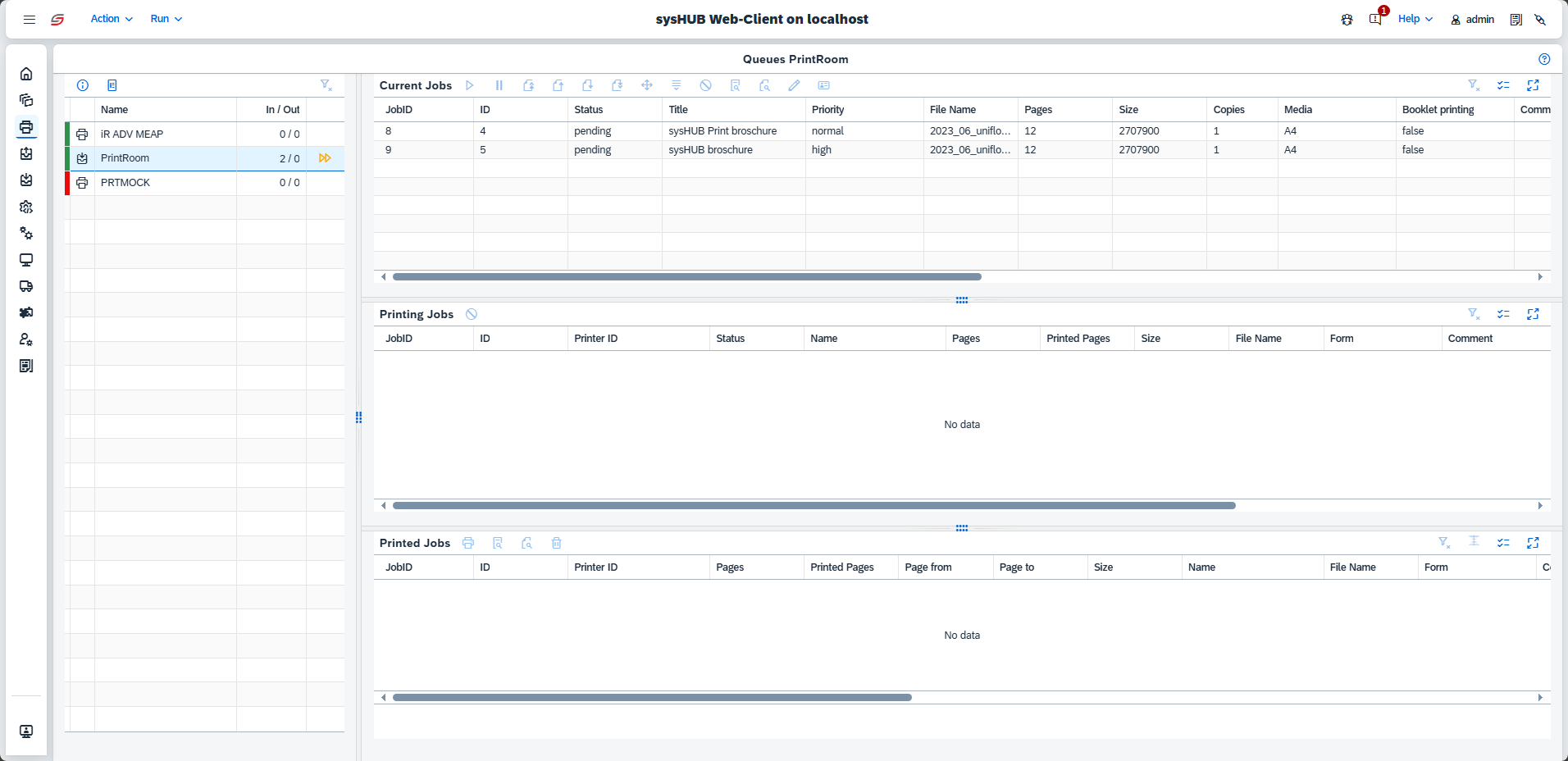
sysHUB's print room integration connects end-users with print room operators, streamlining the internal printing process. End-users can effortlessly submit their jobs, while operators receive a well-organized view to efficiently allocate print files to the appropriate devices.
Simple submission of print room jobs for end-users
End-users navigate a three-step process to submit their print orders. They need to:
- First, input the order details, including the order name and preferred finishing options.
- Second, upload the PDF file for printing.
- Finally, provide delivery information, including priority, due date, and delivery method.

Management of print room jobs for operators
Once a file is submitted to the print room, it enters the final stage of production. The sysHUB Operator routes the job to the most suitable printing device, guided by the specified production parameters and delivery instructions. This process ensures that each project is completed with precision, efficiency, and high-quality results, ready for timely distribution to its intended destination.
Seamless PRISMAsync integration
Efficiency and precision are essential in high-volume print environments. uniFLOW sysHUB delivers full integration with PRISMAsync, enabling automated workflows and streamlined communication between systems and devices.
Key benefits:
- Supports JDF/JMF standards for consistent job specifications and real-time messaging.
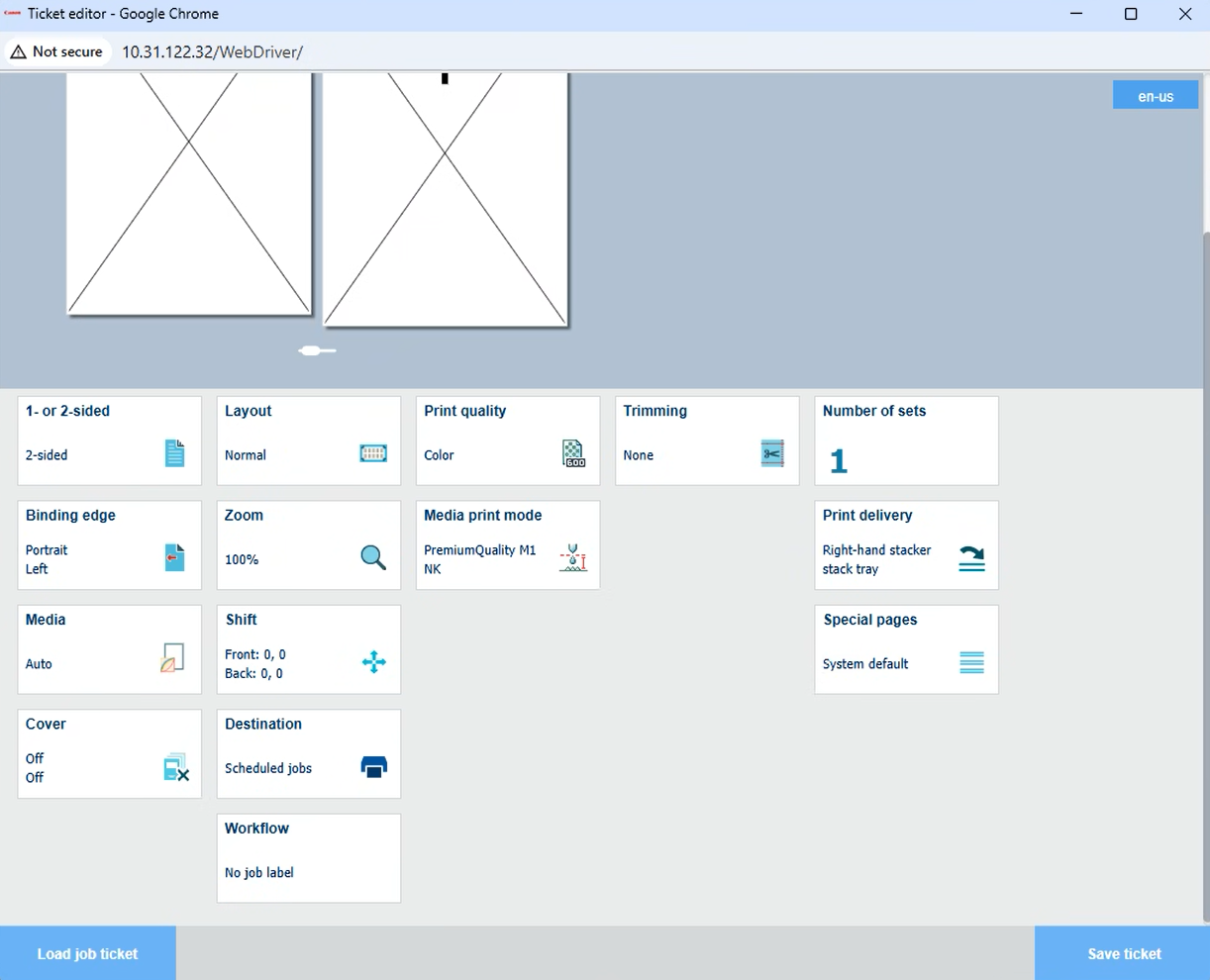
- Customizable job tickets via the PRISMAsync JDF editor—define media, finishing, and color settings without manual setup.
- Access PRISMAsync Remote Manager for centralized job monitoring, scheduling, and remote adjustments.
This integration reduces setup time, minimizes errors, and improves production accuracy, helping organizations achieve greater uptime, simplified operations, and enhanced control over complex print jobs.
Full support for JDF and JMF
JDF (Job Definition Format): Acts as a digital job ticket, defining every aspect of a print job—media type, finishing options, color profiles, and layout instructions. Ensures consistent communication across connected systems.
JMF (Job Messaging Format): Enables real-time, bi-directional messaging between sysHUB and PRISMAsync devices. Operators can monitor progress, detect issues early, and make adjustments without interrupting production.
Job and device management via PRISMAsync remote manager
Manage PRISMAsync-driven devices from a single interface for improved operational efficiency.
Operators can:
- Monitor job queues across multiple devices in real time.
- Adjust job priorities or reassign jobs to different devices.
- Access detailed device status, including consumable levels and error alerts.
- Perform remote troubleshooting to minimize downtime and service costs.
Result:
A powerful combination of sysHUB workflow automation and PRISMAsync Remote Manager device control for high-volume, multi-device environments.
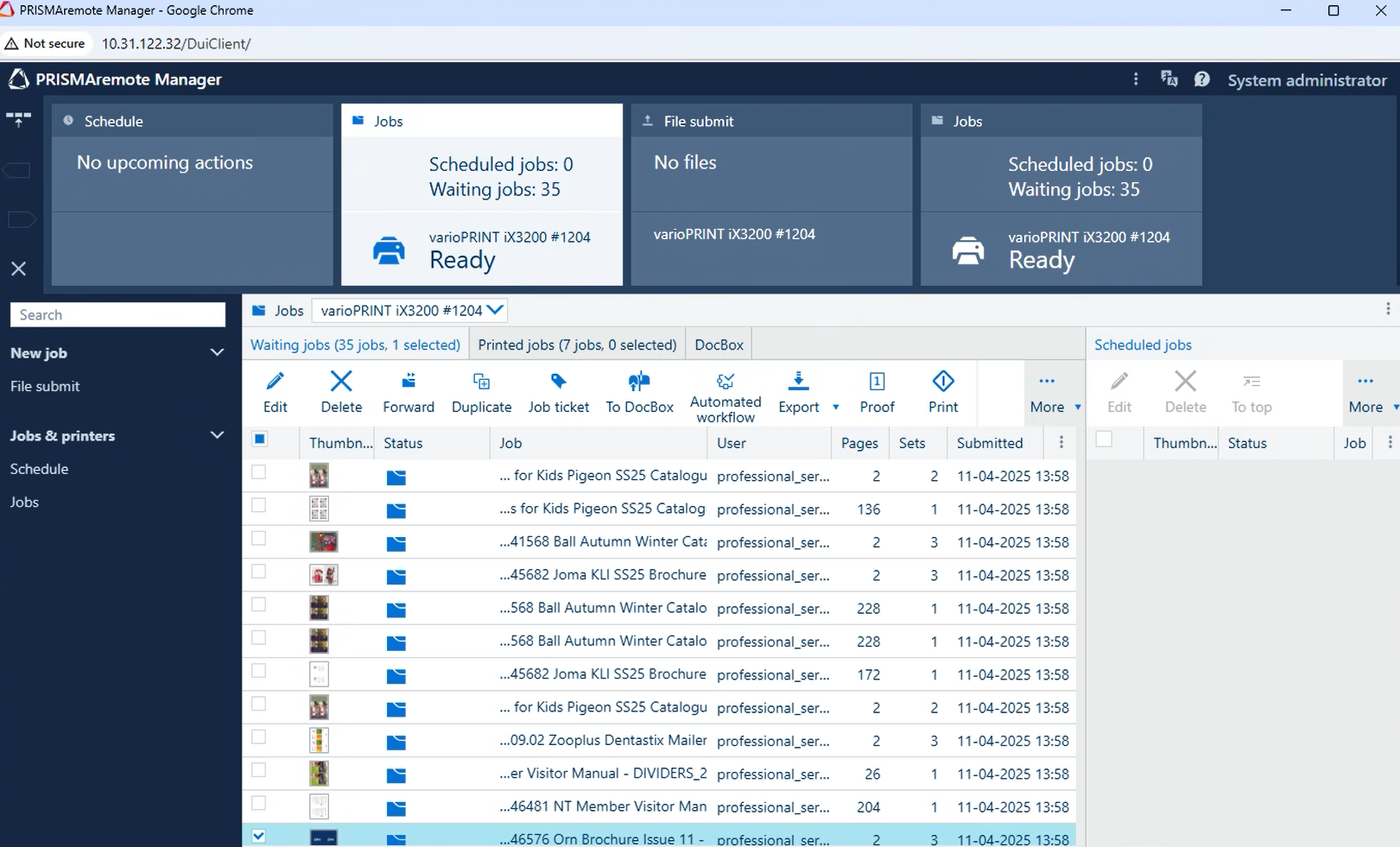
Job Ticket Management via JDF Editor
The PRISMAsync JDF editor integrated into sysHUB allows operators to create, edit, and manage job tickets directly within the sysHUB queue view.
Capabilities:
- Create and edit job tickets without deep technical knowledge.
- Define media type, finishing options, color settings, and layout instructions.
- Upload predefined tickets or build custom ones for specific needs.
- Automatically link finalized tickets to corresponding jobs for seamless execution.
- Attach JDF job tickets to workflows for automatic application of print settings.
Print Room job submission via uniFLOW Online
Submitting large print jobs is now as simple as printing a regular document.
How it works:
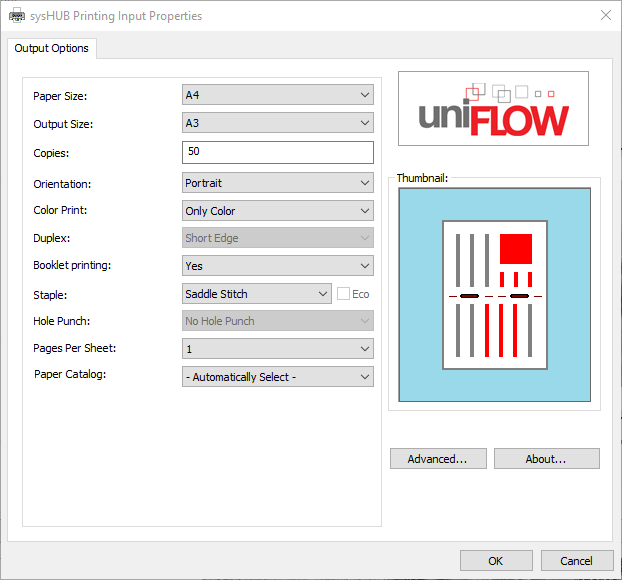
- Apply finishing options (stapling, hole punching, duplex) via the uniFLOW Universal Driver.
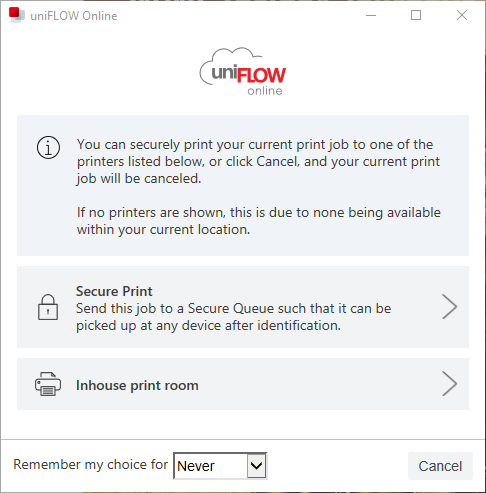
- Select the print room queue from the Universal Output Queue pop-up in the native print dialog.
No extra steps, uploads, or manual intervention required. Jobs are automatically routed to sysHUB for processing, where operators can manage them using the full range of sysHUB’s output management capabilities.